

Best overall: Ally Bank. Best for planning every dollar: YNAB. Best for rule-based saving: Qapital. The best savings apps for first time homebuyers separate your house fund from everyday spending and make contributions repeatable; this 2026 guide compares five options for Black families in Richmond and surrounding communities working toward ownership.
- Ally Bank leads the best savings apps for first time homebuyers for separating savings into named buckets.
- YNAB fits buyers who need a down payment budget before choosing a savings account.
- Qapital suits rule-based saving; Capital One suits recurring transfers; Goodbudget suits envelope planning.
- Ask RichMinds which program fits your family's financial education and ownership goals.
Why this matters for your family's ownership plan
A down payment is not your entire homebuying fund. You also need to plan for closing expenses, moving, and the household costs that continue after you receive the keys. Keeping those purposes separate helps you see what you can actually put toward a purchase.
For Black families building lasting family and community legacies, the app is a supporting tool—not the goal. Ownership planning starts with a household conversation about income, obligations, and what buying a home should make possible.
RichMinds connects financial education and business development with Black ownership and community legacy. Ask which program fits your family before treating an app subscription or a new account as your next financial milestone.
What makes the best homebuyer savings app?
Use these criteria for your 2026 shortlist. A strong choice should solve your household's actual saving problem, not simply offer an attractive dashboard.
- Clear separation: Distinguish money for the home purchase from groceries, bills, and emergency needs.
- Repeatable contributions: Support recurring transfers, saving rules, or a planning routine you will maintain.
- Household visibility: Make contributions and responsibilities understandable to everyone involved in the purchase.
- Account clarity: Know whether the app holds deposits, connects to an account, or only tracks a budget.
- Access and protection: Check withdrawal procedures and the deposit protection applicable to the actual account.
- Useful simplicity: Choose the fewest features needed to keep your plan working.
A budgeting app organizes decisions; a savings account holds money. Some households need both. Comparing them as interchangeable products hides the most important difference.
Best savings apps at a glance
| Option | Best for | Standout feature | Key limitation |
|---|---|---|---|
| Ally Bank | Separating a home fund into purposes | Savings buckets within its savings account | Buckets do not replace a household budget |
| YNAB | Planning contributions around real expenses | Assigning available money to spending and saving categories | Budgeting software is not a savings account |
| Qapital | Connecting everyday habits to saving | Goal-based saving rules | Automatic transfers still need cash-flow oversight |
| Capital One | Keeping recurring savings straightforward | Savings management and transfers through its banking app | A bank balance alone does not explain household priorities |
| Goodbudget | Planning contributions with envelopes | Envelope-based household budgeting | Budget envelopes do not hold deposits |
The order reflects distinct needs, not a claim that every household should open the same account. Start with the row that matches what currently stops your family from saving.
1. Ally Bank: best savings app for separating homebuying goals
Ally Bank combines its banking app with a savings account that supports named savings buckets. You can organize money by purpose without treating one combined balance as entirely available for a down payment.
For a first-time buyer, that separation is useful. A house fund can look healthy while still needing to cover closing expenses, moving, or other planned costs. Buckets make those competing uses visible; they do not increase the money available.
Ally Bank pros:
- Named buckets help distinguish the different purposes within your savings.
- Recurring transfers support a repeatable contribution routine.
- Account management and savings organization sit within a banking app.
Ally Bank cons:
- Savings buckets do not account for every household spending commitment.
- Moving money between buckets can make a goal look funded without increasing total savings.
- You still need to understand account terms and transfer procedures.
Best for: Buyers who already know what they can save but need clearer separation between homebuying expenses.
Before setting up buckets, write down what each one is allowed to pay for. Keep those definitions consistent when your family reviews progress, rather than moving the boundaries whenever another expense appears.
Verdict: Buy into Ally Bank's bucket approach when separating savings purposes is your main need.
2. YNAB: best homebuyer budgeting app for planning every dollar
YNAB is budgeting software built around assigning money you already have to specific jobs. Those jobs can include household bills, irregular expenses, and a future home purchase.
That makes YNAB useful when your down payment goal competes with obligations that do not arrive every month. Instead of deciding to save whatever remains, you build the contribution into your plan and adjust other categories deliberately.
YNAB pros:
- Spending and saving priorities appear within the same budget.
- Categories can distinguish a down payment from moving and other purchase expenses.
- Planning with available money keeps attention on your present resources.
YNAB cons:
- YNAB does not replace the account where your savings are held.
- Categories need regular attention when income or expenses change.
- A planned contribution is not the same as a completed bank transfer.
Best for: Families who need to find a sustainable contribution before selecting a savings account.
Use YNAB to answer a practical question: after covering the obligations you have already accepted, what money can you assign to ownership? Do not enter an aspirational contribution and then quietly borrow it back for predictable bills.
Verdict: Buy into YNAB's planning approach when unclear spending priorities—not account organization—are blocking progress.
3. Qapital: best savings app for rule-based contributions
Qapital is a goal-based saving app with rules that trigger savings transfers. It connects saving to selected behaviors or conditions rather than relying entirely on remembering to move money manually.
For your 2026 homebuying plan, the appeal is consistency. The trade-off is that automatic movement still needs oversight, especially when your income varies or several bills arrive close together.
Qapital pros:
- Goal-based saving keeps the purpose of contributions visible.
- Saving rules can reduce reliance on remembering each transfer.
- Rules provide an alternative to using only a fixed recurring contribution.
Qapital cons:
- Transfers need to fit the cash available in the linked account.
- Small triggered contributions do not establish whether your full homebuying goal is realistic.
- You must understand where funds are held and how withdrawals work.
Best for: Buyers who have room to save but struggle to make contributions consistently.
Start with a rule you understand and can explain to another household member. Review actual transfers against your bills before adding more rules; a complicated setup is not evidence of a stronger savings plan.
Treat rule-based contributions as part of your plan, not permission to stop checking it. Your household still decides which expenses come first.
Verdict: Buy into Qapital's rules when forgetting to save is the problem; skip automation that strains bill money.
4. Capital One: best savings app for straightforward recurring transfers
Capital One offers savings account management and transfers through its banking app. Its role in this comparison is straightforward: hold savings and support a repeatable contribution routine without requiring a separate budgeting system inside the account.
This approach suits buyers who already maintain a workable household budget. You decide the contribution elsewhere, then use the banking app to carry it out and check the balance.
Capital One pros:
- Savings management and transfers are available through the banking app.
- Recurring transfers support a consistent household routine.
- A dedicated savings account can separate purchase money from daily spending.
Capital One cons:
- A balance does not show whether you have covered every purchase expense.
- Scheduled transfers need attention when income timing changes.
- Household planning still needs a shared record or budgeting method.
Best for: Buyers who want a direct savings routine rather than additional saving rules or detailed budget software.
If you already use Capital One, evaluate the existing setup before adding another app. Keeping a useful system is often more practical than creating extra logins and accounts that nobody in the household wants to maintain.
Write the transfer into your family budget so the banking routine and household plan agree.
Verdict: Buy into Capital One's recurring-transfer approach when a simple, repeatable routine meets your needs.
5. Goodbudget: best homebuyer budgeting app for envelope planning
Goodbudget applies envelope budgeting to household money management. You assign planned amounts to categories, making it easier to discuss the trade-offs between current spending and saving for ownership.
An envelope labeled for a home purchase is a planning category, not a bank account. That distinction matters: your budget can show an allocation even when you still need to move the corresponding money into savings.
Goodbudget pros:
- Envelope categories make spending priorities easy to discuss.
- Homebuying contributions can sit alongside everyday household commitments.
- The method provides a clear structure for family money conversations.
Goodbudget cons:
- Envelopes do not hold or protect your deposits.
- The plan needs updates as spending and income change.
- You still need an account and transfer routine for the actual savings.
Best for: Families who prefer dividing money into understandable purposes before deciding what to spend.
Agree on envelope definitions together. If one person considers repairs part of emergency savings while another treats them as a homebuying expense, the same budget can tell two different stories.
Use the categories to make decisions visible, not to assign blame when a necessary expense changes the plan.
Verdict: Buy into Goodbudget's envelope method when a shared family language for money matters more than automatic saving rules.
Turn your choice into a working savings routine
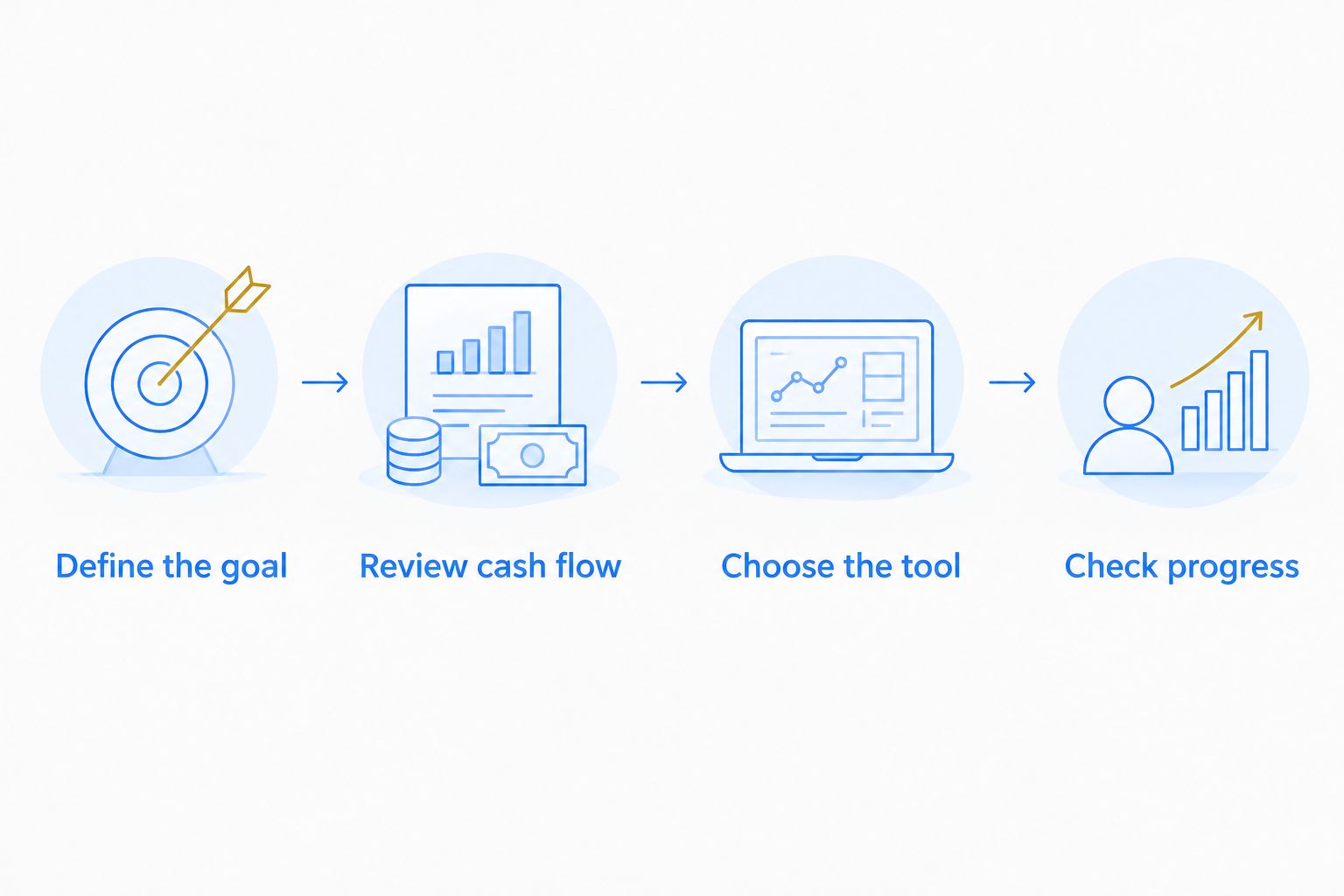
For your 2026 plan, connect the app to decisions your household can repeat. Set aside 30 minutes for the first conversation, then schedule a 15-minute weekly check-in; these are suggested routines, not requirements for success.
Define the goal
List the purposes your homebuying fund must cover. Keep emergency needs distinct so the same dollars are not counted toward both a purchase and household protection.
Review cash flow
Look at when income arrives and when bills leave. Choose a contribution your current budget supports instead of assuming future income will close the gap.
Choose the tool
Pick a bank app for holding and moving savings, a budgeting app for planning, or one of each when both jobs need attention. Avoid adding overlapping tools without a clear purpose.
Check progress
Compare actual deposits with your plan. Discuss interruptions and adjust the next contribution rather than hiding the difference inside a category change.
Check deposit protection separately from app features. Standard FDIC coverage is $250,000 per depositor, per insured bank, for each account ownership category; multiple labels or buckets do not create separate coverage by themselves.
How these recommendations are ranked
This 2026 ranking prioritizes purpose separation, repeatable contributions, household clarity, and the distinction between budgeting software and deposit accounts. It is a feature-based guide, not a claim of hands-on testing or a ranking of investment returns.
Ally Bank leads for organizing savings purposes. YNAB, Qapital, Capital One, and Goodbudget each address a different obstacle, so their position below Ally Bank does not make them a worse fit for your household.
Which savings app should you choose?
Choose Ally Bank if your main need is separating homebuying savings into clear purposes. Choose YNAB or Goodbudget when the household budget needs attention first, Qapital for rule-based contributions, or Capital One for a straightforward recurring-transfer routine.
RichMinds is a fit for Richmond families seeking financial education connected to Black ownership and community legacy. Ask RichMinds which program fits your questions about family money skills and preparing for ownership; an app should support that learning, not replace it.
Ask which program fits your family
Connect your financial education questions with your family's ownership and legacy goals.
FAQ
What's the best savings app for first-time homebuyers in 2026?
Ally Bank is the default choice in this guide for buyers who want named savings buckets. Choose a budgeting app first if finding a sustainable contribution is your bigger challenge.
Is YNAB better than Ally Bank for saving for a house?
YNAB is better suited to planning household contributions, while Ally Bank provides a savings account with organizational buckets. They perform different jobs and can be used together.
Can I use a budgeting app instead of a savings account?
A budgeting app does not replace a savings account. YNAB and Goodbudget organize your plan; the money itself remains in your financial accounts.
Should I use automatic transfers if my income changes?
Use automatic transfers only when the timing and amount fit your available cash. Review scheduled transfers when your income or bill schedule changes.
Are savings app balances always FDIC insured?
Do not assume every app balance is FDIC insured. Identify the institution holding the funds and check the applicable account terms and coverage conditions.
Should I combine my emergency fund with my down payment savings?
Track emergency needs separately from money assigned to a home purchase. Otherwise, the same dollars can appear to cover two different commitments.
Can RichMinds help my family decide where to start?
Ask RichMinds which program fits your family's financial education and ownership goals. Explain whether your immediate challenge is budgeting, consistent saving, or understanding the steps toward ownership.
One last thing
A house fund can increase without your household becoming better prepared if you repeatedly move money back out to cover predictable bills. Watch the direction of transfers, not just the balance.
At your next family conversation, ask what expense keeps interrupting contributions. Solving that planning problem can make the app you already use more useful. This is general financial education, not personalized investment, legal, or tax advice.